
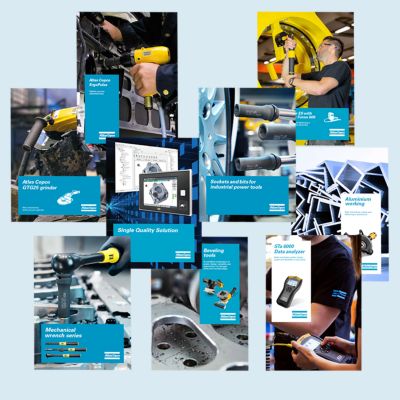

Need help selecting the right tools for your application? Check out one of our buying guides to get started!
Buying Guides
Dimensional drawings, Safety Information, Product Instructions, Manuals and User Guides
Servaid

Time to calibrate?

Secure your quality and reduce defects through Tool Calibration and Accredited Quality Assurance Calibration.​
power tool calibration, tool testing, metrology, machine capability test

View all our industries

Our industries
Unlock a world of valuable insights without the spam: Subscribe to our monthly newsletter and stay ahead with the latest industry innovations, expert tips, and cutting-edge solutions tailored for your success.
Subscribe Today
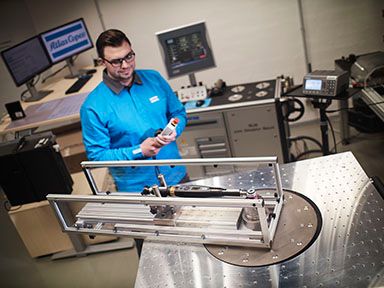
In this series of educational videos, our ‘Lab Boss’ Jason Benford performs various torque tests to show off the power and durability Atlas Copco tools have to offer!
In the Lab
Close
Computer Rendering of ToolsTalk 2

One Platform to Configure, Manage, and Control Every Tool on Your Line

ToolsTalk 2 is Atlas Copco's centralized platform for configuring, managing, and monitoring all of your tightening controllers and tools across your entire production environment - all from a single, unified interface.

Gain full control of your assembly line with ToolsTalk 2

ToolsTalk 2 puts every controller and tool in your operation at your fingertips. From a single interface, you can build and deploy tightening programs, manage user access, push configuration changes across stations, and automate controller backups. Built for modern manufacturing environments, ToolsTalk 2 is a server-based platform installed on-premise within your own IT infrastructure, giving you full ownership and control over who has access to the application.

Change Tracking

Know exactly who changed what and when, across every program in your plant.

Offline Programming

Push programs and configurations to one controller or all of them in just a few clicks.

Scheduled Tasks

Automate backups to happen on a consistent schedule.


How does ToolsTalk 2 connect to my existing tools and controllers?
tools talk 2 software
How does ToolsTalk 2 connect to my existing tools and controllers?
ToolsTalk 2 integrates directly with Atlas Copco controllers and supports a wide range of tool/controller types, making it straightforward to bring your existing production environment under unified management.
 
ToolsTalk 2 integrates directly with Atlas Copco controllers and supports a wide range of tool/controller types, making it straightforward to bring your existing production environment under unified management.
Do I need dedicated IT infrastructure to run it?
Programming software code
Do I need dedicated IT infrastructure to run it?
Yes — ToolsTalk 2 is a server-based platform installed on-premise. Our team will walk through the server, network, and licensing requirements with you during implementation to ensure a smooth deployment.
 
Yes — ToolsTalk 2 is a server-based platform installed on-premise. Our team will walk through the server, network, and licensing requirements with you during implementation to ensure a smooth deployment.
How does ToolsTalk 2 help me improve quality and consistency?
the back of a nut runner with the HMI showing an OK sign for a successful tightening
How does ToolsTalk 2 help me improve quality and consistency?
By centralizing program management and configuration, ToolsTalk 2 can ensure the correct programs and configurations are on the proper tools and controllers at all times.
 
By centralizing program management and configuration, ToolsTalk 2 can ensure the correct programs and configurations are on the proper tools and controllers at all times.
How do I manage access to ToolsTalk 2?
Handsome Engineer in Glasses and White Shirt Using Tablet Computer and Looking Out of the Office at a Car Assembly Plant. Industrial Specialist Working on Vehicle Design in Technological Facility.
How do I manage access to ToolsTalk 2?
ToolsTalk 2 has active directory integration allowing you to create permissions for different user groups.
 
ToolsTalk 2 has active directory integration allowing you to create permissions for different user groups.


ToolsTalk 2 Key Features

ToolsTalk 2 Tool Configuration
Change Tracking

Track changes made on the controller or via ToolsTalk 2. You can see who made what change, when.

Computer Rendering of ToolsTalk 2
Efficient Programming

Connect and manage tools across multiple stations or lines, ensure correct configurations across your production environment.

ToolsTalk 2 Active Directory
License Management

License your tools and virtual stations using the ToolsTalk 2 license pool instead of the FMS Portables.


From Engineers to Plant Managers, ToolsTalk 2 Delivers

One place to program, deploy, and govern every controller on the line from your desk, not the floor.

Manufacturing & Process Engineers

Create and refine tightening programs from your desk. No more walking the floor with a laptop. Validate offline, then push changes to exactly the right controllers the moment they're ready.

Quality Engineers & Quality Managers

Every change is logged; who touched what, on which controller, and when. Lock down critical parameters with fine-grained access controls, and roll back unauthorized changes instantly before they affect output.

Production & Line Supervisors

When a controller goes down, copy a proven configuration to the replacement in a single click. Hardware swaps that used to mean an hour of downtime now take minutes, and the line keeps moving.

Maintenance & Controls Technicians

Restore any controller to a known-good state in moments. Flip between active and passive software versions without guesswork, and get new tools on the line fast, configured correctly from the start.

Continuous Improvement & Six Sigma Leads

Turn a single validated win into a plant-wide standard. Deploy process improvements consistently across every relevant station, so a better method on one line becomes the new baseline everywhere.

Plant & Operations Managers

Know that every line is running the approved configuration and be able to prove it. One interface, consistent governance, and the visibility to manage your entire operation without hunting across systems.


Smart factories start with smart software

ToolsTalk MTF6000 Software & Firmware

Explore how Smart Integrated Assembly solutions help manufacturers gain greater visibility, traceability, and control across their production operations. Learn how connected software tools can collect and analyze factory data to identify process improvements, optimize performance, and support smarter manufacturing decisions.

ToolsTalk 2 is backed by TechCover, our dedicated service agreement that ensures your software stays up to date, secure, and performing at its best.

Explore TechCover


Connected Within Your Assembly Ecosystem

ToolsTalk 2 helps bring your assembly operation together by connecting tools, controllers, production data, and factory systems into one streamlined platform. As part of Atlas Copco’s Smart Integrated Assembly approach, the software supports greater visibility across your production environment while helping teams improve traceability, standardization, and process control.


Whether you're managing a single station or scaling across multiple production lines, ToolsTalk 2 is designed to integrate with your connected manufacturing strategy and support your Industry 4.0 initiatives.


Ready to connect your assembly operations?

Contact a software specialist today to determine what solution is best for your operation.

One Platform to Configure, Manage, and Control Every Tool on Your Line

explainer icon